Install the Bottom Support Bracket and Side Panels
| 1. | The bottom frame support bracket is in a package located behind the middle frame support bracket. To remove it, grasp it on the left side and carefully lift it diagonally from the frame. |
NOTE
Always lift the bracket diagonally from the left end. The bracket cannot be removed by lifting straight up.
| 2. | Remove all packing materials from the bottom frame support bracket. |
| 3. | Install the bottom frame support bracket [1] using the provided hardware. |
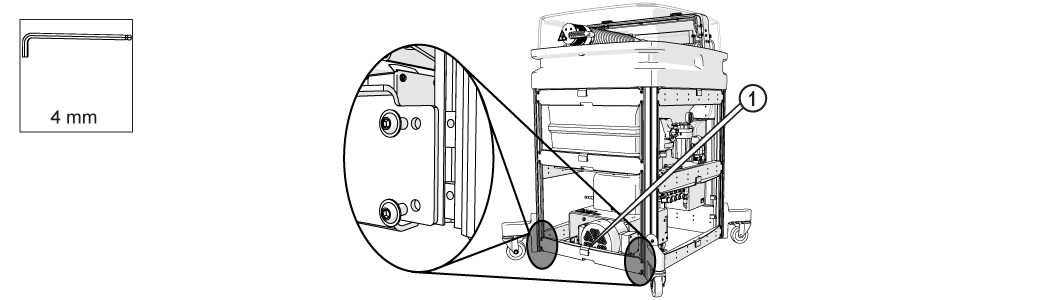
Figure 268
| 4. | Install the side panels: |
| a. | Slide one end of the panel into the support leg slot. |
NOTE
Support the bottom of the panel while inserting the edges into the frame support.
| b. | Press the other side of the panel down into the opposite support leg slot. |

Figure 269
| c. | Press on the center of the panel to secure it to the table frame. |
| d. | Repeat steps 1–3 for each panel. |
The ProtoMAX installation is complete and ready for operation. Refer to the document, 401434 Operation, ProtoMAX.


