Install the Material Holding Kit
The material holding kit is an optional ProtoMAX accessory that helps stabilize materials on the cutting stage.
| 1. | Loosen the t-nut all the way, but do not remove it from the part holding post. |
| 2. | Align the part holding post assembly with the channel. |

Figure 265
| 3. | Set the part holding assembly in the channel and begin tightening, the t-nut [1] rotates perpendicular to the channel, then tighten to secure. |
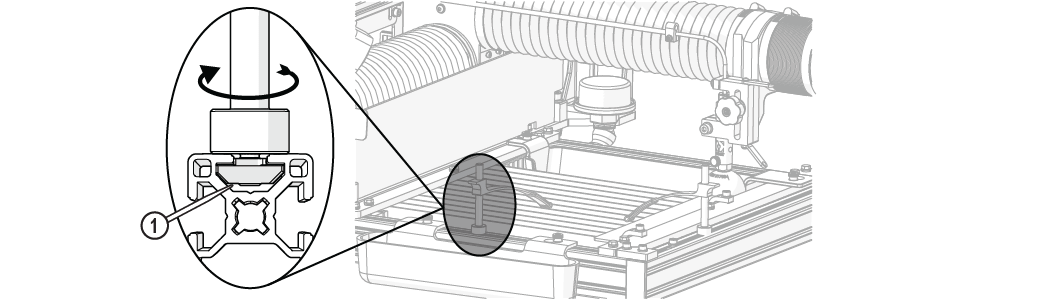
Figure 266
| 4. | Place the material clamp [1] on the part holding post [2] and press down to secure. |
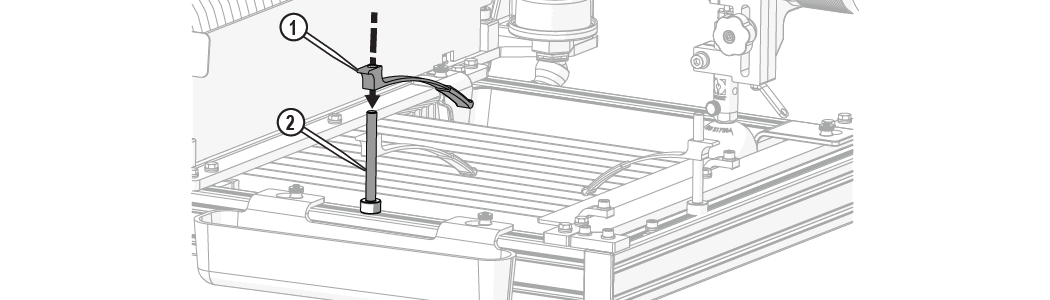
| 5. | Lift up on the back of the arm [1] or rotate the arm sideways and lift to remove (Figure 267). |


